
Table of Contents
We have reached a point in the digital age where the phrase working hard has lost its luster. For decades, the badge of honor was the sixty-hour work week and the overflowing inbox. However, the introduction of generative artificial intelligence has fundamentally shifted the goalposts. Today, the most successful professionals are not those who type the fastest, but those who direct the most effective digital assistants. Learning how to use AI tools to work smarter is no longer a niche skill for tech enthusiasts; it is the new standard for professional survival and excellence.
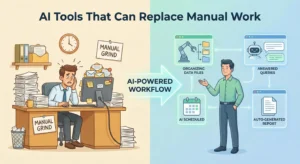
The transition from a manual workflow to an AI-augmented one is often met with a mix of excitement and apprehension. Many professionals feel like they are standing at the edge of a vast, complex ocean, unsure of where to dive in. The reality is that AI is not a replacement for your expertise, but a massive force multiplier for it. By delegating the repetitive, the mundane, and the structurally predictable tasks to algorithms, you free your cognitive energy for the high-level strategy and creative problem-solving that only a human can provide.
In this guide, we will explore the practical frameworks for integrating AI into your daily routine. We will move beyond the hype and look at how these tools can actually shave hours off your week, improve the quality of your output, and perhaps most importantly, reduce the mental fatigue that comes with modern knowledge work. This is about working with intention, using the best technology available to ensure that your effort translates directly into impact.
The Cognitive Shift: From Doing to Directing
To truly understand how to use AI tools to work smarter, you must first change how you view your role. Most of us are used to being the primary doers of every task. We research the data, we draft the email, we format the spreadsheet, and we design the presentation. In an AI-enhanced workflow, your role shifts from being the craftsman to being the creative director. You are responsible for the vision, the quality control, and the final polish, while the AI handles the heavy lifting of the first draft.
This shift is crucial because it addresses the primary bottleneck in any professional environment: human bandwidth. We all have a finite amount of decision-making energy each day. When you spend that energy on routine administrative tasks, you have less left for the complex problems that define your career. AI tools allow you to bypass the blank page syndrome and the friction of starting from scratch, allowing you to enter the flow state much faster than before.
The Power of the First Draft
One of the most immediate benefits of AI is its ability to generate a solid 70 percent draft in seconds. Whether you are writing a project proposal, a technical report, or a difficult performance review, the hardest part is often getting the first few paragraphs on the screen. By providing an AI with a few bullet points of intent, you can receive a structured draft that serves as a foundation. Your job then becomes one of editing and refining, which is significantly less taxing than original creation.
Automating the Recursive Loops
Every job has recursive loops—tasks that repeat weekly or monthly with slight variations. This could be summarising weekly meeting notes, cleaning data sets for monthly reports, or responding to common client inquiries. AI excels at recognising patterns within these loops. By setting up automated systems that utilise AI, you can move these tasks into the background, ensuring they are completed with high accuracy while you focus on one-off strategic initiatives.
Practical Applications for Daily Productivity
Knowing that AI can help is one thing; knowing which buttons to press is another. To use AI tools to work smarter, you need to identify the specific friction points in your day-to-day operations. Most knowledge work can be broken down into four main categories where AI provides an immediate return on investment: communication, synthesis, technical assistance, and creative brainstorming.
- Communication Management: Use AI to draft responses to routine emails, adjust the tone of your messages for different stakeholders, or summarise long, convoluted email chains that you might have joined late.
- Information Synthesis: When faced with a fifty-page industry report, use AI to extract the key findings, the potential risks, and the actionable takeaways. This allows you to digest the essence of the document in minutes rather than hours.
- Administrative Automation: AI-powered scheduling assistants can handle the back-and-forth of finding a meeting time, while transcription tools can record meetings and automatically assign action items to team members.
- Strategic Brainstorming: Use AI as a sounding board. If you are stuck on a problem, ask the AI to provide five different perspectives on the issue or to play devil’s advocate against your current plan.
Optimising Your Communication Flow
We spend an inordinate amount of time ensuring our digital communication is polite, clear, and professional. AI tools can act as a sophisticated grammar and tone checker. More importantly, they can help you bridge the gap between different communication styles. For instance, you can take a series of informal notes from a brainstorming session and ask an AI to transform them into a formal briefing for executive leadership. This maintains the core ideas while ensuring the presentation meets the expected professional standards.
Data Analysis and Visualisation
You do not need to be a data scientist to derive insights from your business metrics anymore. Many AI tools now allow you to upload a spreadsheet and ask questions in plain English. Instead of building complex pivot tables, you can simply ask, what was the primary driver of our growth last quarter? The AI can analyse the variables, identify the correlations, and even suggest the best way to visualise that data for your next presentation. This democratises data-driven decision-making across the entire organisation.
Common Mistakes When Starting with AI
As with any powerful technology, there is a learning curve, and it is easy to fall into traps that actually make your work harder. The most common mistake is treating AI like a standard search engine. If you ask a simple, one-line question, you will likely receive a generic, unhelpful answer. AI requires context. It needs to know who you are, who the audience is, and what the specific goals of the output are. Without this context, the tool is essentially guessing, which leads to hallucinations or irrelevant content.
Another significant hurdle is the lack of human oversight. There is a temptation to take what the AI produces and hit send immediately. This is a mistake for two reasons. First, AI can be confidently wrong, presenting false information with total authority. Second, AI-generated content can often lack the specific nuance or brand voice that makes your work unique. To use AI tools to work smarter, you must remain the final editor. The AI provides the clay; you are the one who must mould it into the final sculpture.
The Trap of Over-Reliance
It is easy to become so enamoured with AI speed that you stop exercising your own critical thinking muscles. If you let the AI make every decision, your work will eventually become homogenised and lose its competitive edge. The goal is augmentation, not total delegation. You should always understand the logic behind an AI’s suggestion. If it suggests a strategy, ask it why it chose that path. This ensures you remain in control of the process and can defend the results to your colleagues or clients.
Ignoring Privacy and Security
In the rush to be productive, many professionals accidentally share sensitive company data with public AI models. It is vital to understand your organisation’s policy regarding AI. Never input proprietary code, personal client information, or confidential financial data into a tool unless you are certain it is a secure, enterprise-grade environment. Working smarter also means working safely; a productivity gain is quickly negated by a data breach.
Best Practices for AI Workflow Integration
To move from an occasional user to a power user, you need a structured approach to how you interact with these tools. High-level AI integration is about creating a feedback loop between your intent and the machine’s output. According to research on AI tools and productivity, the greatest gains come when users treat the AI as a collaborative partner rather than a simple utility.
- Master the Art of Prompt Engineering: Be specific. Instead of saying write a report, say write a 500-word executive summary of this data for a Chief Financial Officer, focusing on cost-saving opportunities and using a formal tone.
- Iterate and Refine: Treat the first response as a conversation starter. If the output is too long, ask the AI to shorten it. If the tone is too stiff, ask it to be more conversational. It usually takes two or three iterations to get a perfect result.
- Build an AI Toolstack: Do not rely on a single tool for everything. Use one tool for writing, another for image generation, and a third for meeting transcriptions. Each tool has different strengths, and using the right one for the right job is the definition of working smarter.
- Set Up Standard Operating Procedures (SOPs): Once you find a prompt or a workflow that works, save it. Create a library of prompts for recurring tasks so you don’t have to reinvent the wheel every Monday morning.
- Verify the Output: Always fact-check dates, names, and complex figures. Use AI to do the heavy lifting of formatting and drafting, but keep the responsibility for accuracy firmly on your shoulders.
The Importance of Contextual Feeding
The better the input, the better the output. Before asking an AI to perform a task, give it background information. Tell it about your company’s mission, the specific challenges of your industry, and the tone of previous successful projects. This helps the AI align its output with your existing brand identity, making the editing process much faster. This is an essential step for anyone looking for internal linking suggestions to help organise their professional documentation and knowledge base effectively.
Scheduling AI Time
Integrate AI into your calendar. Instead of using it reactively when you are overwhelmed, set aside time at the beginning of your week to use AI for planning and organisation. Use it to map out your priorities, draft your weekly updates, and prepare for upcoming meetings. By being proactive, you use AI to prevent fires rather than just putting them out.
Final Thoughts on the Future of Work
The decision to use AI tools to work smarter is ultimately a decision to value your own time. We are living through a period of technological change that is as significant as the industrial revolution, but this time, the transformation is happening at the level of the mind. Those who embrace these tools will find themselves with more time for family, more time for professional development, and more time for the creative work that truly moves the needle.
However, the most important tool in your arsenal will always be your own judgment. AI can give you data, it can give you text, and it can give you speed, but it cannot give you wisdom. It cannot understand the subtle office politics of a high-stakes meeting or the personal touch required to comfort a frustrated client. As you integrate AI into your workflow, do so with the goal of becoming more human, not more like a machine. Use the time you save to build better relationships, think more deeply, and lead with greater empathy.
The future belongs to the augmented professional. By mastering these tools today, you are not just keeping up with the competition; you are setting a new pace for what it means to be productive in the twenty-first century. Start small, experiment often, and never stop refining your process. The smarter way to work is finally within reach.