
Table of Contents
We have all been there. It is 3 PM on a Tuesday, you have seventeen tabs open, your phone is buzzing with notifications from a group chat you do not remember joining, and you are staring at a post-it note that simply says do the thing. The modern workspace has become a digital jungle where the loudest app usually wins your attention, regardless of whether it is actually important. Finding the best productivity apps to save time and work smarter is no longer just a hobby for tech enthusiasts; it is a survival strategy for anyone trying to maintain their sanity in a high-speed world.
In this guide, we will cut through the noise of the app store to find tools that actually move the needle. As someone who has spent more hours testing productivity software than I care to admit, I have learned that the best tool is the one that disappears into your workflow. We are looking for efficiency, not just more digital clutter. Whether you are a freelancer trying to juggle five clients or a corporate professional drowning in meetings, these insights will help you reclaim your schedule and focus on what truly matters.
The Foundation of Digital Organization
Before we dive into specific apps, we need to address why we use them. Most people treat productivity apps like magic wands. They download a task manager and expect their procrastination to vanish instantly. Unfortunately, an app is just a container for your intentions. If your intentions are messy, your app will be a digital junk drawer. The goal of using these tools is to reduce the cognitive load on your brain. Your brain is a processor, not a hard drive. When you stop trying to remember every single detail and start trusting a system, you free up mental energy for creative work and complex problem-solving.
Top Task Management Apps for 2026
If you do not have a reliable way to capture tasks, they will live in your head, causing low-level anxiety all day. A good task manager should be fast, accessible across all your devices, and simple enough that it does not become a task in itself.
Todoist for Natural Language Processing
Todoist remains a heavyweight champion in the productivity world because of how it handles input. You can type something like buy milk every Friday at 10 AM, and the app automatically schedules it. This natural language processing is a game-changer. It means you spend less time clicking through calendars and more time actually doing the work. For beginners, it offers a clean interface that does not feel overwhelming, but for power users, the ability to use filters and labels makes it incredibly robust.
TickTick for All in One Functionality
If you want a task manager that also includes a built-in Pomodoro timer and a habit tracker, TickTick is the answer. It is the Swiss Army knife of productivity. While Todoist focuses on being the best list, TickTick tries to be the only app you need to stay on track throughout the day. The integrated calendar view allows you to drag and drop your tasks into specific time slots, which is a key strategy for anyone practicing time blocking.
Building a Second Brain with Knowledge Management
We consume a massive amount of information every day. Between articles, meeting notes, and random ideas, most of our best thoughts end up forgotten in the digital abyss. Knowledge management apps allow you to build a searchable database of your own life and work.
Notion for Team Collaboration and Personal Wikis
Notion has become the gold standard for a reason. It uses a block-based system that allows you to build whatever you need, from a simple document to a complex project management database. For teams, it acts as a central hub where everyone can find the latest updates. For individuals, it is the perfect place to store long-term projects and life goals. The learning curve can be a bit steep, but once you understand how to link pages together, you will wonder how you ever lived without it.
Obsidian for Connected Thinking
If Notion is a structured office building, Obsidian is a neural network. It stores your notes as local files on your computer, which is a win for privacy. Its primary strength is the ability to create links between notes, visualizing how your ideas connect. This is particularly useful for writers, researchers, and anyone who needs to synthesize complex information over a long period. It is less about checking off a list and more about growing a garden of knowledge.
Mastering Focus and Deep Work
Productivity is not just about doing more things; it is about doing the right things with total focus. In an age of infinite distractions, focus is a superpower. Several apps are designed specifically to help you enter a flow state and stay there.
Forest for Gamified Focus
Forest is a brilliant example of how psychology can be used for good. When you want to focus, you plant a virtual tree in the app. If you leave the app to check social media, your tree withers and dies. It sounds simple, but the emotional pull of not wanting to kill a digital plant is surprisingly effective. Over time, you grow a forest that represents your focused hours. This provides a visual sense of accomplishment that a standard timer just cannot match.
Brain fm for Science Based Audio
Not all background noise is created equal. Brain fm uses AI-generated music that is designed to guide your brain into specific states like focus, relaxation, or sleep. Unlike standard music, which can often be distracting, these tracks are engineered to be repetitive enough to fade into the background while providing enough stimulation to keep your brain from wandering. It is a great tool for those who work in noisy environments or struggle with a busy mind.
Automation to Eliminate Repetitive Tasks
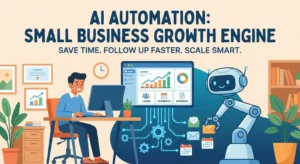
The ultimate way to save time is to stop doing work that a computer can do for you. Automation tools act as a bridge between your different apps, moving data around so you do not have to.
Zapier for Connecting the Dots
Zapier is the industry leader in automation. It connects thousands of different web services. For example, you can set up a workflow where every time you receive an email with an attachment, that attachment is automatically saved to your cloud storage and a task is created in your project manager. These small wins add up to hours of saved time every week.
Make for Visual Workflows
Make, formerly known as Integromat, is a more visual and often more cost-effective alternative to Zapier. It allows you to build complex logic paths for your data. If you are someone who thinks in flowcharts, you will love the way Make handles automation. It is slightly more technical, but the level of control it offers is unparalleled for those who want to automate their entire business logic.
Time Tracking for Real World Awareness
You cannot manage what you do not measure. Most people are terrible at estimating how long tasks actually take. Time tracking apps provide the cold, hard data you need to adjust your expectations and your schedule.
Toggl Track for Simple Input
Toggl Track is the gold standard for ease of use. You hit a button when you start a task and hit it again when you stop. It provides detailed reports that show exactly where your hours went. This is essential for freelancers who need to bill clients, but it is equally valuable for anyone who feels like their day just disappears without a trace.
Clockify for Team Time Management
Clockify offers many of the same features as Toggl but is particularly well-suited for larger teams. It allows for detailed project tracking and budget monitoring. If you are managing a group of people, Clockify provides the visibility needed to ensure that resources are being used effectively without micromanaging every second of the day.
Common Productivity App Mistakes to Avoid
The most common mistake people make is app hopping. This is the act of switching to a new tool every time you feel unproductive, hoping the new software will fix your underlying habits. This usually results in a week of lost time spent setting up the new system, followed by the same old problems.
Another mistake is over-complicating the system. If your productivity system requires two hours of maintenance every Sunday just to function, it is not a productivity system; it is a hobby. Your tools should serve you, not the other way around. Always aim for the minimum viable friction. If you can track a task in three clicks, do not build a system that requires ten.
Finally, many people ignore the importance of a regular review. An app full of old, irrelevant tasks is a source of stress. You must set aside time to prune your lists and ensure that your digital workspace remains a reflection of your current priorities.
Actionable Tips for Building a Sustainable System
Start small by picking one category where you feel the most friction. If your emails are a mess, start there. If you keep forgetting appointments, focus on your calendar. Do not try to overhaul your entire digital life in a single afternoon.
Use the two-minute rule for your task manager. If a task takes less than two minutes, do it immediately instead of writing it down. This prevents your list from becoming cluttered with tiny, annoying chores that eat away at your mental energy.
Integrate your tools so they talk to each other. Use a central hub like Notion to link to your specific project boards or time-tracking reports. The fewer places you have to look for information, the more likely you are to actually use the system.
Be honest with yourself during your weekly review. If a task has been sitting on your list for three weeks, you are probably not going to do it. Either delete it, delegate it, or admit that it is not a priority right now and move it to a someday list.
Final Thoughts on Working Smarter
At the end of the day, the best productivity apps to save time and work smarter are the ones that you actually use consistently. There is no perfect app, only the app that fits your specific brain and your specific workflow. Productivity is not about being a robot; it is about creating enough structure in your life so that you have the freedom to be human.
By selecting a few high-quality tools and using them with intention, you can transform your relationship with work. You will stop reacting to the loudest notification and start acting on your most important goals. Remember that the tool is just an instrument. You are the one who has to play the music.
If you found this guide helpful, consider checking out our other articles on effective time blocking techniques and how to set realistic professional goals for the coming year. Taking the first step toward a more organized life is often the hardest part, but with the right tools in your pocket, you are already halfway there.