
Table of Contents
The year 2026 has officially turned the software development world into a high-speed chess match. If you are a developer today, you are likely not writing boilerplate code by hand anymore; you are orchestrating a fleet of AI agents. But the million-dollar question remains: which engine should power your terminal? In the red corner, we have the latest GPT-5.1 from OpenAI, the refined king of reasoning. In the blue corner, Google’s Gemini 3 Pro, a titan of context and integration. Choosing between them is no longer about which one can write a simple Python script, but which one can manage a 50,000-line repository without breaking a sweat.
If you have spent any time in a modern IDE lately, you know that the “hallucination era” of 2023 is a distant memory. Today, these models don’t just guess; they plan. However, their personalities and strengths have diverged significantly. This guide breaks down the real-world performance of Gemini vs ChatGPT in the 2026 landscape to help you decide where to park your subscription dollars.
The State of AI Coding in 2026
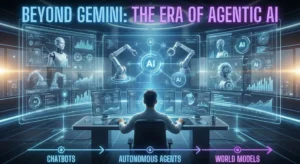
Before we dive into the nitty-gritty, we need to acknowledge how much the goalposts have moved. In 2026, a “good” coding assistant is expected to do more than just autocomplete your lines. We now look for agentic behaviour—the ability of an AI to run its own tests, browse your local documentation, and even submit its own pull requests for review. Both Google and OpenAI have leaned heavily into these autonomous features, but they have taken very different architectural paths to get there.
The Core Contenders: GPT-5.1 vs Gemini 3 Pro
OpenAI’s GPT-5.1 has moved away from being a single “chatbox” and into a multi-modal system that switches between an Instant mode for quick snippets and a Thinking mode for deep architectural problems. Meanwhile, Google has leveraged its massive infrastructure to give Gemini 3 Pro a context window that essentially allows it to “read” your entire company’s codebase in one go. If ChatGPT is the brilliant senior engineer who knows every design pattern, Gemini is the librarian who has actually read every single page of your legacy documentation.
Context Windows: The Massive Gap
In 2026, the context window is the new RAM. It determines how much information the AI can keep in its “active memory” at once. This is perhaps the most significant point of divergence in the Gemini vs ChatGPT debate. Gemini 3 Pro currently supports up to 2 million tokens, while GPT-5.1 generally operates within a 128,000 to 256,000 token range for most consumer tiers.
- Gemini’s Advantage: You can upload an entire GitHub repository, including the documentation, assets, and even recorded video meetings about the project. Gemini 3 can reason across all of it. If you ask, “Where did we decide to implement this specific auth logic in that meeting last Tuesday?” Gemini can actually find the reference and code it.
- ChatGPT’s Approach: OpenAI focuses on high-density reasoning. While its window is smaller, it uses advanced retrieval-augmented generation (RAG) and specialised “memory” features to stay relevant. It doesn’t need to read the whole book if it knows exactly which page to look at.
For developers working on large-scale enterprise migrations or debugging massive legacy monolithic applications, Gemini’s massive context window is a literal lifesaver. However, for greenfield projects where you are building from scratch, the raw reasoning power of ChatGPT often feels more intuitive.
Reasoning and Logic: The “Thinking” Mode
When it comes to pure logic—solving complex algorithmic puzzles or refactoring deeply nested asynchronous functions—the 2026 benchmarks still give a slight edge to OpenAI. The GPT-5.1 “Thinking” mode is specifically designed to pause, simulate the code execution internally, and verify the logic before it outputs a single character. This reduces the “it looks right but doesn’t run” syndrome that plagued earlier models.
Refactoring and Debugging
If you feed a buggy React component into GPT-5.1, it doesn’t just fix the syntax. It analyses the state management flow and often suggests a more modern hook-based approach you hadn’t considered. Gemini 3 Pro is no slouch here, but it tends to be more conservative. Gemini’s code is often “safe” and “standard,” whereas ChatGPT’s code often feels “clever” and “optimised.”
Multi-Language Proficiency
In 2026, both models are polyglots. Whether you are writing Rust, Go, or a niche language like Zig, both AI models perform at an expert level. However, if your stack involves heavy use of Google-led technologies like Flutter, Go, or Firebase, Gemini has a native “home-field advantage” in its training data and documentation grounding.
Integration: Ecosystem vs. Versatility
Choosing an AI is often about where your data already lives. As a senior strategist, I always tell teams to look at their existing “cloud gravity.” If your company is a Google Workspace shop, Gemini 3 Pro is integrated into your Docs, Sheets, and Google Cloud Console. You can literally prompt your terminal to “deploy this to Cloud Run using the credentials in my Secret Manager,” and Gemini will handle the orchestration.
On the other hand, ChatGPT has doubled down on its “Canvas” interface. This is a dedicated side-by-side coding environment where the AI can edit your files directly in a UI that feels like a lightweight VS Code. For many solo developers and startup founders, this integrated “app-like” experience is more productive than a standard chat interface. OpenAI has also stayed ahead in the “tools” game, allowing for better third-party integrations with Jira, GitHub, and Slack through its expanded GPT-5.1 developer ecosystem.
Common Mistakes Developers Make with AI in 2026
Even with these powerful tools, developers still find ways to trip over their own keyboards. One of the biggest mistakes we see is “Context Overload.” Just because Gemini can read 2 million tokens doesn’t mean you should dump 50 unrelated files into the prompt. High context still carries a “noise” penalty; the more irrelevant data you provide, the higher the chance the AI misses the needle in the haystack.
- Blind Trust: Beginners often copy-paste AI-generated security configurations without auditing them. In 2026, AI can still make subtle errors in IAM policies or CORS settings that could lead to vulnerabilities.
- Prompt Laziness: Using a one-sentence prompt like “Fix my code” is a waste of a GPT-5.1 subscription. You should be using “Chain of Thought” prompting: “Analyse this logic, identify the race condition, suggest three fixes, and implement the most performant one.”
- Ignoring the Linter: Many developers stop using local linters and compilers because they assume the AI is the “final word.” Always treat AI code as a “draft” that must pass your local build pipeline.
Best Practices for Using AI Coding Assistants
To get the most out of Gemini or ChatGPT in 2026, you need a structured workflow. Here is a checklist for the modern developer:
- Modularise Your Requests: Even if you use Gemini’s 2M context, keep your prompts focused on specific modules or features.
- Use Native IDE Extensions: Don’t just use the web chat. Use the official plugins (like IDX for Gemini or the OpenAI VS Code extension) to get real-time context from your active file.
- Audit the Logic, Not Just the Syntax: Spend your time reviewing the “why” of the code. Is the AI using a $O(n^2)$ algorithm when $O(n \log n)$ is possible?
- Leverage Multimodality: If you have a UI bug, don’t just describe it. Take a screenshot and let the AI “see” the CSS misalignment. Both models excel at visual-to-code translation in 2026.
- Verify with Documentation: Use Gemini’s “Google Search” grounding to verify if a library version is still supported or if there is a newer API available.
Final Thoughts: Which One Should You Choose?
There is no “perfect” AI, but there is a “right” AI for your specific workload. If you are a solo developer who values creative problem-solving and a slick UI that feels like a partner, ChatGPT with GPT-5.1 is likely your winner. Its ability to reason through complex “what-if” scenarios remains the industry benchmark.
However, if you are working in a corporate environment with massive repositories or if you are deeply embedded in the Google Cloud ecosystem, Gemini 3 Pro is the superior tool. Its ability to ingest an entire codebase and provide contextually aware answers across your whole project is a superpower that OpenAI hasn’t quite matched in scale yet.
The best part? In 2026, you don’t necessarily have to choose. Many professional workflows now involve using Gemini for “Big Picture” codebase analysis and switching to ChatGPT for “Micro” logic optimisation and refactoring. Use the best tool for the specific task at hand, and you’ll find that the “Gemini vs ChatGPT” debate is less about a winner and more about building a more powerful, AI-augmented developer toolkit.